
Instructions
Steps
Personal details
You can review the personal details we have by clicking MY ACCOUNT in the top right, followed by Personal details.
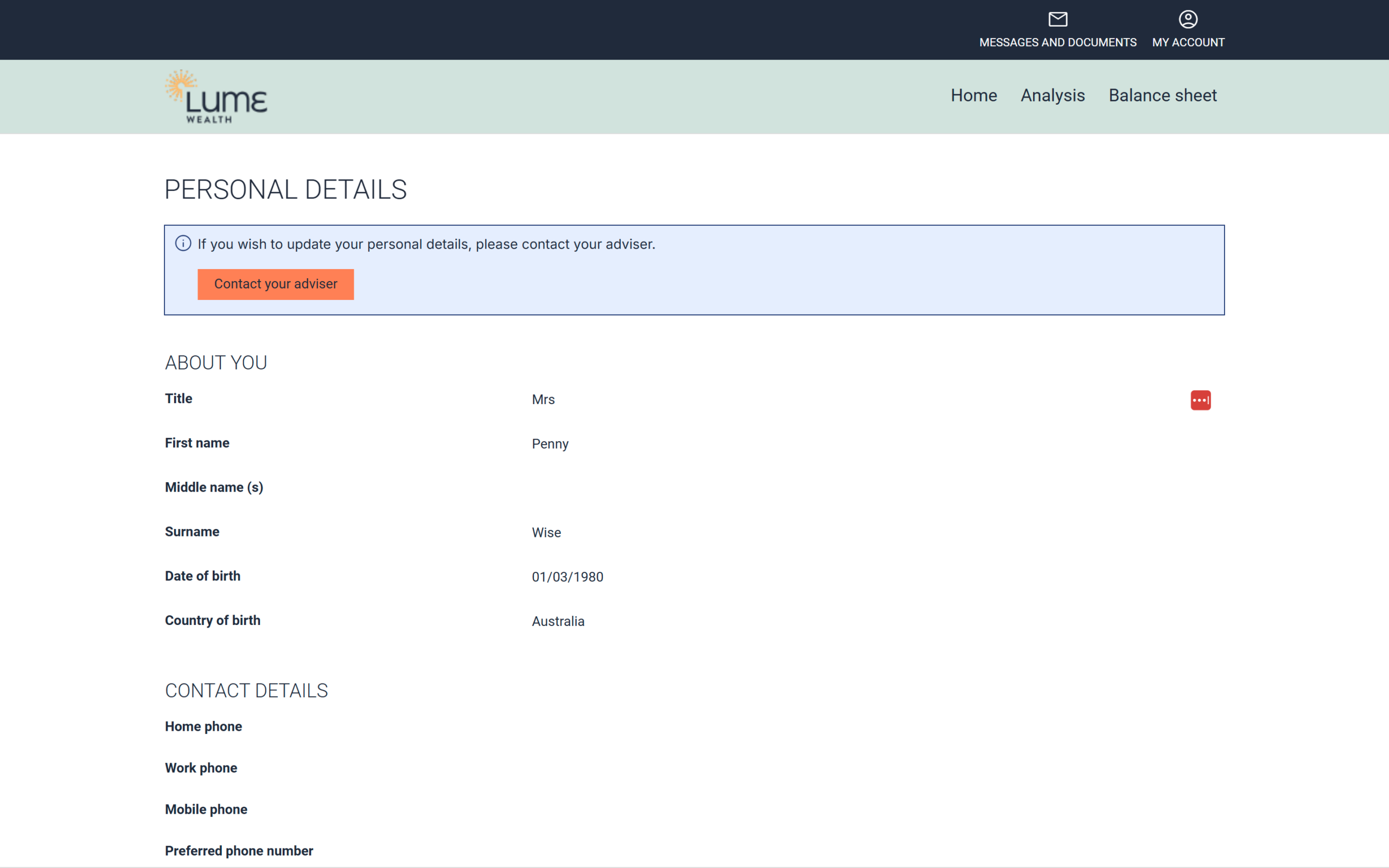
Please note, where we have not confirmed your Country of birth, it will default to Australia. Please let us know where this is not correct.
Assets and Liabilities
You can review the Assets and Liabilities we have on file by clicking Balance sheet in the upper right, just below MY ACCOUNT.
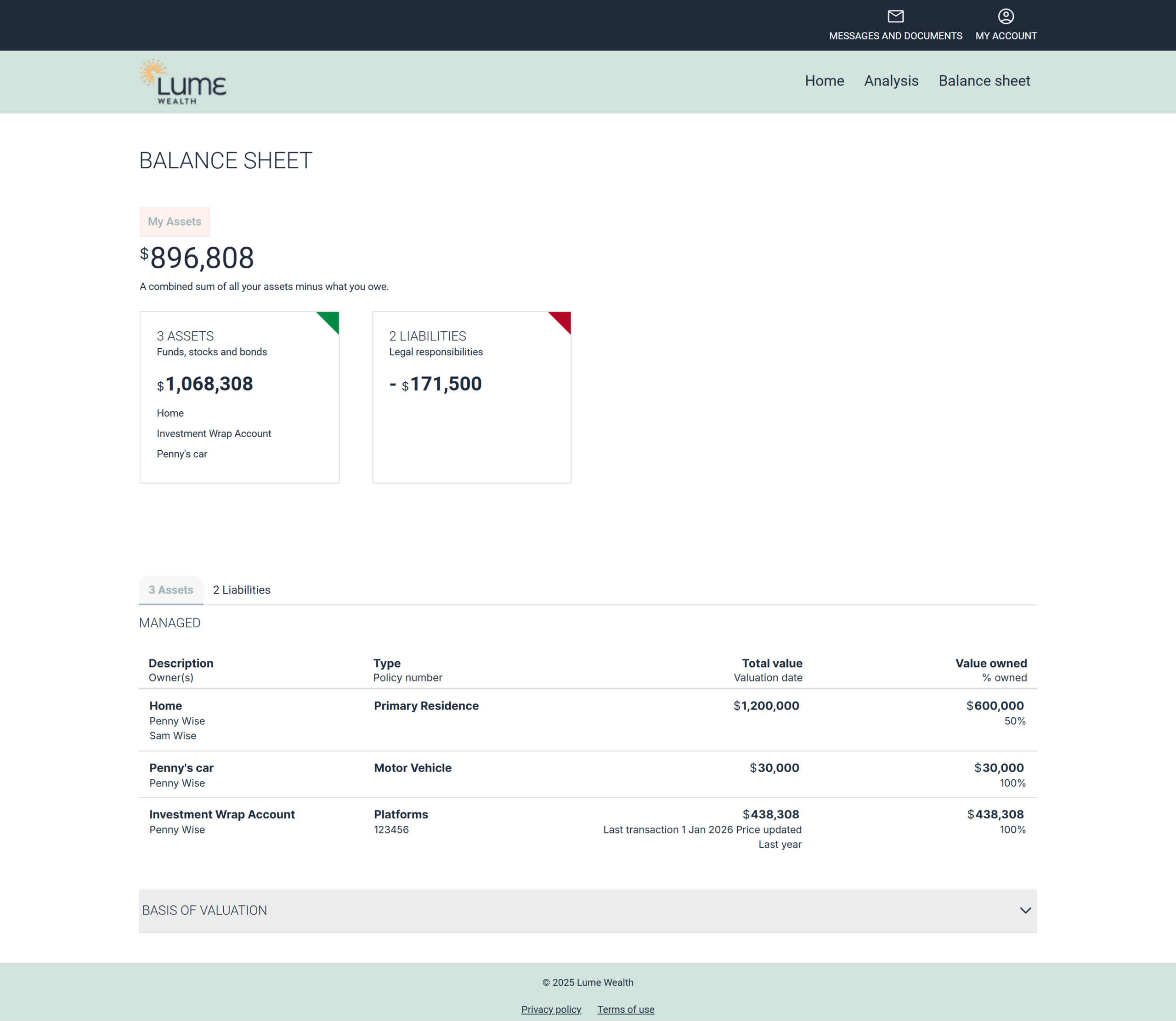
You will be able to see all Assets and Liabilities in one place here.
Some investments will be updated regularly, such as investment portfolios or listed investments. All other assets and liabilities will be updated as we receive new information from you, most commonly at your regular review.
Advising us of updates
If you would like to inform us of an update, click MESSAGES AND DOCUMENT followed by Compose to send a new message with the updated details (Instructions here if needed).
If you’re at all concerned about your portfolio, or are facing any other problem, you can always call us during business hours on 0494 113 524, or contact us here and we’ll be in touch as soon as we’re able.
Other guides you may find useful
Still have questions?
Please get in touch with our team, we're more than happy to assist.